
What Do We Mean by Artificial Intelligence?
AI, in the context of UI design, refers to tools and technologies that assist us in streamlining workflows, generating content, and improving efficiency. This includes everything from machine learning algorithms that identify user behaviour patterns to AI-powered design tools that help create wireframes or suggest layout improvements. However, it’s essential to understand that AI is not a substitute for human creativity, strategic thinking, or industry expertise.
The Elephant in the Room: The Concerns Around AI
While we believe that AI will never fully replace humans or designers, it is important to acknowledge the concerns surrounding its use in design. Before discussing how AI can be used effectively, we want to address some of the largest concerns regarding the technology.
Job Security Many worry that AI will replace designers entirely. However, AI lacks the human intuition, creativity, and problem-solving skills required for effective UI design. Instead, it serves as a tool to support and enhance human capabilities.
Lack of Originality Relying too heavily on AI can lead to unoriginal, templated designs, as AI-generated content often lacks the depth, uniqueness, and emotional intelligence that comes from human designers. AI engines learn from existing content found online or provided by other users. Therefore, everything it generates is derived exclusively from existing data. It’s not truly original or new. This is why it shouldn’t be relied upon for creativity. Instead, it should be used to generate a starting point and inspire ideas.
Ethical Concerns This is a real and prevalent issue. AI-generated work is not technically your work. Attempting to pass it off as original can be misleading and, in some cases, legally questionable. Transparency is key when incorporating AI into the design process to ensure boundaries are respected and credit is given where it is due.
How JBi Uses AI in the UI Design Process
So, how do we navigate these concerns at JBi? We carefully integrate AI into our workflows in ways that enhance our design process without compromising quality or originality. Some of the key ways we utilise AI include:
1. Image Generation & Editing AI-powered tools can assist in quickly generating or editing images, saving designers time on repetitive tasks. For example, AI in programmes such as Adobe Photoshop can enhance images, remove backgrounds, or suggest edits, allowing designers to focus on more creative aspects of the project.
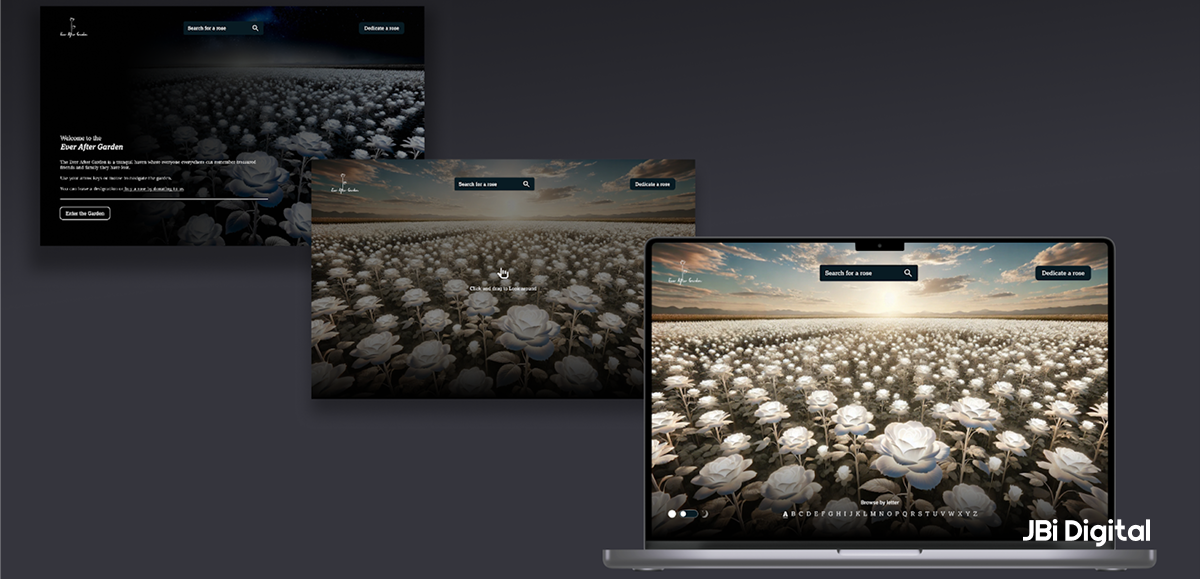
Recently, we were asked to design a vast virtual landscape filled with 3D roses, complete with interactive elements and a user journey, all within a tight deadline. To save time for the creative, user-focused aspects, we used the generative imagery capability of GPT-4 to create visual assets. This allowed us to focus our expertise where it mattered most: delivering a compelling and original user experience.
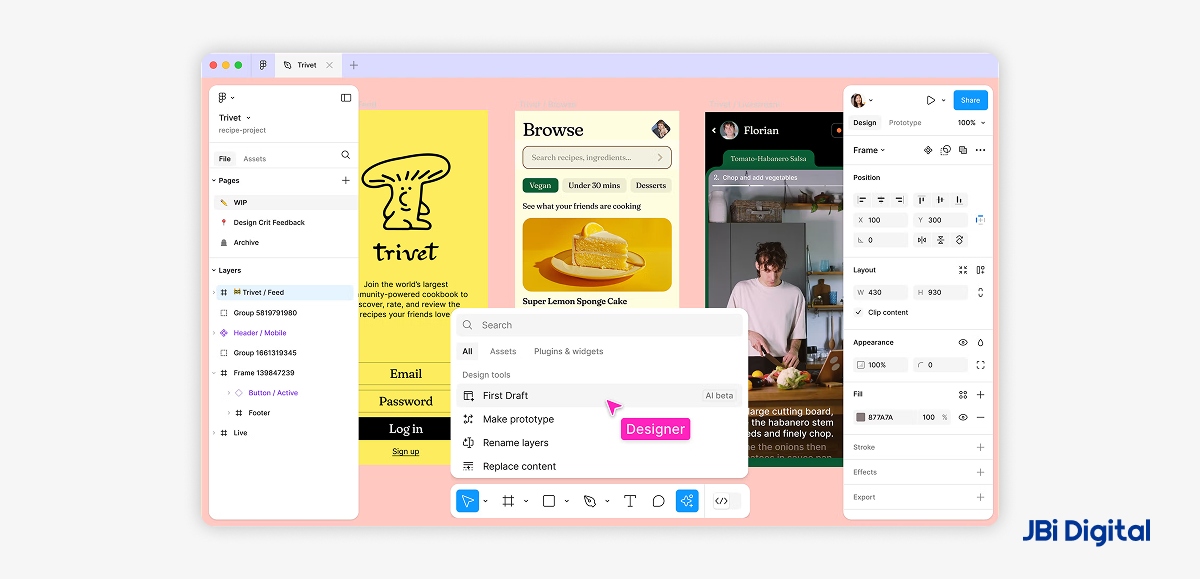
2. Generating Basic Page Mockups Tools, like Figma’s built-in AI, can be used to generate basic mockups from wireframes, providing a starting point from which designers can refine. This speeds up the workflow, allowing us more hours to focus on creativity and customisation rather than building layouts from scratch.
3. Populating Mockups with Realistic Dummy Content Rather than using traditional Lorem Ipsum, using ChatGPT to create AI-generated placeholder content allows us to stress-test UI components with realistic text, making the design more practical and user-focused. This is particularly useful for:
- Testing different text lengths to ensure the design remains functional across content variations.
- Creating dynamic user scenarios for usability testing.
Furthermore, it gives our clients a better representation of what the finished product will look like when real content is in place. This provides an opportunity to give more relevant feedback about the designs and what we need to alter to achieve the best possible outcome.
4. Placeholder Client Information for Sensitive Projects At JBi, we take security and confidentiality very seriously, and we are proud to be ISO 27001 accredited. For projects where confidentiality is crucial, AI-generated names, addresses, and user data can be used to maintain anonymity while keeping the content relevant. This is particularly useful when showcasing designs without exposing real user or client information.
5. Speeding Up Workflows AI-powered tools in Figma and other design platforms can automate tedious tasks, such as:
- Duplicating Nested Components: Automatically creating multiple variations of elements while maintaining consistency.
- Auto-Layout & Layering Recommendations: AI can suggest layout improvements, reducing the time spent on fine-tuning designs.
If you’re interested in other ways AI can be used in the digital design world, check out this YouTube video we produced last year during our “12 Days of Accessibility” campaign, where we discuss how AI is improving accessibility. Link to Video Here
How Not to Use AI in UI Design
While AI can be a powerful tool, there are certainly ways we would never use it in our design process:
- To Generate Full UI Mockups: AI lacks the nuance required to create truly bespoke, brand-aligned interfaces. Relying entirely on AI-generated UI mockups can result in generic, uninspired designs that fail to meet user needs or capture the client’s personality and vision.
- To Generate Reports Without Human Oversight: AI can assist in compiling data, but relying on it to generate full reports without human review can lead to inaccuracies, lack of context, or misleading conclusions.
- Providing Real Data as a Prompt: Never provide real, sensitive data to an AI engine when trying to generate information, as they retain and use information provided to train other models. Therefore, the engines may use it in a response to another person’s question. This would be a breach of GDPR and could have serious consequences for your business.
Final Thoughts
Artificial intelligence is not a replacement for human creativity; it’s a tool that, when used responsibly, can enhance and streamline the UI design process.
At JBi, our team integrates AI thoughtfully, keeping originality, strategy, and user experience at the core of everything we do. We also take client security seriously: sensitive data is never shared with AI tools, and confidentiality is protected at every stage of our process. At the same time, we constantly review emerging AI technologies to ensure we use the best, most responsible solutions as they evolve.
If you’re looking to elevate your next UI project with innovative, AI-enhanced design strategies, get in touch with our team today. Let’s create something exceptional together.
Our Favourite AI Tools
For more reading on several companies that are already implementing AI to enhance UI design processes, check out the tools below:
- Figma: Recently integrated AI-powered features to automate design workflows, such as intelligent auto-layout suggestions, component duplication, and built-in language translation.
- Adobe Sensei: Uses AI to enhance image editing, automate repetitive tasks, and suggest design elements based on user preferences.

